

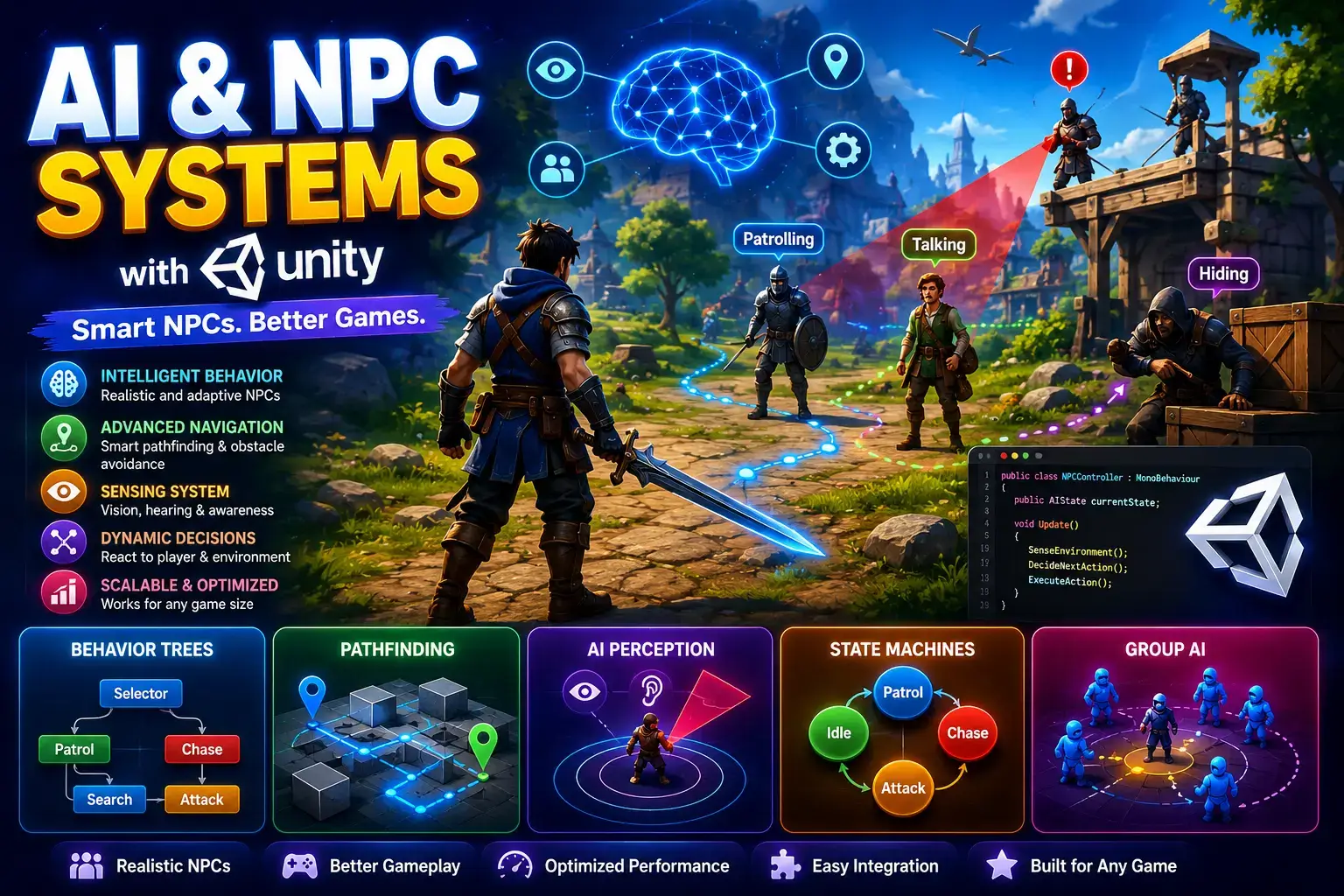
Unity AI & NPC Systems: A Comprehensive Guide for Game Developers (2026)
Introduction
In light of growing recognition of the significance of AI in the process of making modern video games, AI is viewed as an essential element that should be included in the game development process. All the mechanisms and techniques used for designing an intelligent system responsible for managing all the elements of the game fall under the term AI. Thanks to intelligent AI, game designers get a rare chance to set their game apart from others and achieve the next level.
Unity game design provides many opportunities for integrating solutions based on AI into various aspects of the game including enemies, NPCs, wildlife, traffic systems, etc. Regardless of what kind of a game needs to be created (RPG, survival, shooter, etc.), Unity can offer numerous possibilities to create intelligent video games.
Due to recent progress made in machine learning and generative artificial intelligence technologies, there emerged more possibilities for developing adaptable game worlds within Unity. Today, you can build adaptive enemies, generate NPCs with sophisticated behaviors, create a dynamic environment, and implement AI-based approaches to gameplay generation.
The guide contains information about all key elements concerning AI and NPCs in Unity.
What Are AI & NPC Systems in Unity?
Unity AI is an approach that allows game objects to make decisions, react to their surroundings, and communicate with a player.
An NPC (non-player character) refers to in-game characters that are not controlled by a player.
This includes:
- Enemy soldiers
- Companions
- Shopkeepers
- Quest givers
- Commoners/Citizens
- Wild animals
This allows control over NPCs within the game.
Why Is It So Important In Unity Game Development?
It becomes easier to develop realistic and interesting games with the help of AI.
Advantages of AI Systems
- Immersion
- Dynamic gameplay
- Replayability
- Smart behavior of opponents
- Realistic NPC interaction
- Flexible difficulty level
AI allows making such games more attractive for players.
Enemy AI In Unity
Definition
It manages enemy behavior when searching, tracking, fighting and reacting to the player.
Good enemy AI can be challenging but not overwhelming.
Some common enemy behaviors include:
- Patrolling
- Following the player
- Hitting the target
- Dodge
- Grouping
- Withdrawing after being damaged
AI-based enemy characters are crucial components of many Unity games.
Types of Enemy AI System
1. Patrol AI
Patrol AI allows enemies to move along pre-set routes from one point to another.
Use cases:
- Guard AI
- Security robot patrolling
- Path following for animals
In this way, enemies allow creating a sense of the living world.
2. Chase AI
When the player enters detection range, the enemies start to chase them.
Components:
- Visual cones
- Aggro range
- Line-of-sight
Chase AI is commonly used in action and survival games.
3. Combat AI
Combat AI controls enemy behavior in battle.
Types:
- Melee combat
- Range combat
- Using abilities
- Defensive actions
This leads to interesting fights.
4. Group AI
Group AI helps enemies operate in groups.
Features:
- Actions from flanks
- Attacks as a group
- Movement as a team
This adds more realism and strategy to the game.
Pathfinding in Unity
What Is Pathfinding?
Pathfinding allows AI characters to walk through their paths successfully.
Otherwise, they would not be able to navigate around obstacles and reach their destination.
Pathfinding is needed for:
- Enemy navigation
- Companion movement
- Civilian navigation
- Vehicle navigation
- NavMesh in Unity
NavMesh in Unity is one of the most popular pathfinding tools.
Features:
- Selection of the optimal route
- Obstacle detection
- Walking through environment
The applications of NavMesh include:
- Role-playing games
- Open-world games
- Action games
- Simulators
- NavMesh Components
- NavMesh Surface
Used to create navigation surfaces.
NavMesh Agent
Used to control AI character movement.
NavMesh Obstacle
Uses for creating dynamic obstacles for AI characters.
Advanced Pathfinding Methods
Dynamic Pathfinding
Assists in adapting AI to ever-changing environments.
Examples:
- Door opening
- Moving obstacles
- Destructible environment
- A* Pathfinding
One of the most commonly used pathfinding algorithms when developing video games.
Benefits:
- Efficient computations
- Effective routing
- Proper navigation
AI systems that use A* can navigate game objects easily.
Intelligence of NPCs in Unity
What Is Intelligent Behavior?
In intelligent NPCs, the characters interact with player actions and the environment.
Examples:
- Greeting
- Perform routine tasks
- React to threats
- Assign quests
- Change dialogues
This feature contributes to making the game world immersive for players.
Systems for Managing NPC States
States Machine of NPCs
The state machine is one of the most common AI systems in Unity.
Examples of states where the NPC may exist:
- Idling
- Walking
- Talking
- Working
- Sleeping
- Fighting
State machines give predictable and controllable NPCs' behaviors.
Behavior Trees
Behavior trees are an advanced version of the state machine.
Benefits:
- Modular
- More scalable and maintainable
Behavior trees are widely used in AAA game development.
NPC Schedule Systems
Schedule systems manage the routine of NPCs.
For instance:
During the day:
Go to work
In the afternoon:
Interact with customers
In the evening:
Go back home
AI-Generated Gameplay Systems
Definition of AI-Generated Gameplay
AI-generated gameplay utilizes AI to develop gameplay content.
Games generate their own gameplay content instead of relying on scripts.
Procedural Content Generation
Examples are:
- Levels
- Quests
- Environments
- Dungeons
- Loottabs
The procedural content generation makes gameplay more interesting.
Adaptive Difficulty
Adaptive difficulty adjusts a game's complexity based on the player's skills.
Examples are:
- Simple monsters to novice players
- Complex monsters to skilled players
- Resource management
They will not make a game boring.
AI-Generated Quests
An advanced AI is able to create:
- Dynamic quests
- Random encounters
- Personal quests
The gameplay becomes more engaging.
AI-Generated Dialogue
AI generates dialogue options.
Its advantages include:
- Realistic conversation
- Individual answers
- Great story-telling capabilities
It is popular in role-playing games and simulations.
Companion AI
Companion AI makes friendly characters assist players.
Examples are:
- Following the player
- Helping the player
- Healing teammates
- Fighting enemies
Good companion AI enhances gameplay.
AI in Different Game Genres
Role-playing Games
Uses include:
- Quest system
- Interactions with NPCs
- Companions
- Shooter Games
Uses include:
- Behavior of enemies
- Cover system
- Commands for squadrons
- Strategy Games
Uses include:
- Resources
- Units
- Strategy
- Survival Games
Uses include:
- Animal behavior
- Danger dynamics
- Interaction with the environment
AI in Unity games is versatile in all genres.
Optimization of AI Systems in Unity
The AI that works ineffectively might significantly impact performance adversely.
1. Minimize Update Calls
Update not all agents each frame.
Methods:
- Timed updates
- Event-driven system
2. Introduce AI LOD Systems
By using AI LOD developers can lower the number of calculations required for distant NPCs.
Advantages:
- Improved FPS
- Reduced CPU usage
3. Optimize Pathfinding Algorithms
Tips to optimize pathfinding:
- Make a navigation mesh simpler when possible
- Avoid calculating unnecessary paths
- Save results wherever you can
4. Apply Object Pooling to AI Agents
Object pooling can greatly reduce memory allocations.
Applications:
- Enemies
- NPCs
- Projectiles
AI in Unity Game Development: New Technological Trends
The future is already here.
Here are some new trends in AI in games:
- Generative NPC system
- Conversation AI
- Learning behaviors of enemies
- Dynamic storytelling
- World building AI
- Customization mechanics
They'll change how developers approach game development in Unity.
Difficulties in Creating AI for Games
Common difficulties faced by developers in creating AI for games are:
- Game balancing
- Optimizing pathfinding
- Performance tuning
- Unpredictability of NPCs
- Coordinating multiplayer AI
Such difficulties can be easily solved if you have enough preparation and tests.
Best Practices for Unity AI Development
- Begin with the basics of AI mechanics
- Adopt a modular approach
- Constantly test your AI
- Optimize as soon as you can
- Develop a scalable architecture
- Be aware of your players
Conclusion
The significance of Unity AI & NPC cannot be ignored within today’s game development industry. This covers a variety of aspects such as implementation of artificial intelligence when creating enemy AI or implementing pathfinding capabilities in the game. Artificial intelligence may also help create intelligent behaviors of non-player characters and gameplay mechanics.
For game developers that learn about Unity AI, the chances of making realistic games with gameplay mechanics are significantly increased.
Frequently Asked Questions (FAQ)
What is AI for Unity game development?
AI for Unity refers to different approaches employed to automate enemy movement, NPC interaction, path finding, decision making, etc.
What is NavMesh in Unity?
NavMesh refers to a system automatically generated by Unity to help AI-controlled characters navigate and find the most optimal path towards the target.
How do enemy AIs work in Unity?
Enemy AI applies different techniques including but not limited to behavior trees, decision making trees, pathfinding to detect players and chase them.
What do you mean by smart NPCs?
Smart NPCs refers to NPCs that actively respond to players’ decisions, have a schedule of activities, and make intelligent decisions.
What are AI generated gameplay systems?
AI generated gameplay systems refer to gameplay and level design developed using an artificial intelligence approach.


